




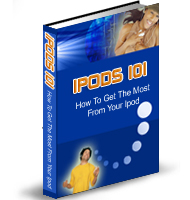
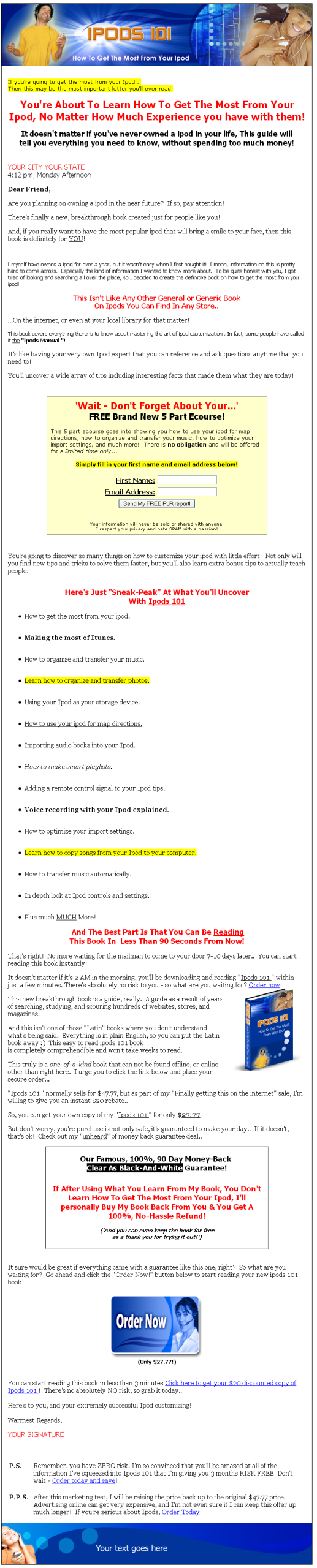
| File Format: | MS Word Document |
| Number of Pages: | 59 |
| Salespage: | Included. HTML |
| Download/Thank You Page: | Included. HTML |
| Included Graphics: | Cover and miscellaneous graphics. |
| Cover Graphics: | JPG, PSD |
| Miscellaneous Graphics: | Header, footer, buttons and more. |
| Extra Pages: | None. |
| Extras: | 50 articles, 5 part eCourse, ads, affiliate programs, keywords, website and more! |
| Year Released/Circulated: | Unknown, but timeless information. |
| Suggested Selling Price: | $27 |
You're About To Learn How To Get The Most From Your Ipod, No Matter How Much Experience you have with them!
It doesn't matter if you've never owned a ipod in your life, This guide will tell you everything you need to know, without spending too much money!
Here's Just "Sneak-Peak" At What You'll Uncover
With Ipods 101
How to get the most from your ipod.
Making the most of Itunes.
How to organize and transfer your music.
Learn how to organize and transfer photos.
Using your Ipod as your storage device.
How to use your ipod for map directions.
Importing audio books into your Ipod.
How to make smart playlists.
And much more!
TABLE OF CONTENTS
INTRODUCTION ………………………………………………. 4
CHAPTER 1: GETTING STARTED …………………………. 6
Windows PC ……………………………………………… 6
Macintosh …….7
-
Preparing Your iPod ……………………………………8
Playing Music ……………………………………………..9
CHAPTER 2: IPOD CONTROLS …………………………… 10
Wheel Functions ………………………………………. 11
CHAPTER 3: MAKING THE MOST OF ITUNES ……….. 13
CHAPTER 4: ORGANIZING AND TRANSFERRING MUSIC … 14
Transfer Music Automatically ………………………15
CHAPTER 5: TRANSFER AND VIEW DIGITAL PHOTOS…16
Transfer From Camera To Computer ……………17
Transfer From Computer To iPod …………………18
Transfer From Camera To iPod ……………………22
CHAPTER 6: IPOD AS A STORAGE DEVICE …………..23
Copy Songs From iPod to Computer ……………..25
CHAPTER 7: IPOD FOR MAP DIRECTIONS …………… 26
CHAPTER 8: IMPORT AUDIO BOOKS ……………………28
Optimize Your Import Settings …………………….29
Importing …………………………………………………30
CHAPTER 9: VOICE RECORDING WITH IPOD ……….34
Audio Hardware ………………………………………..35
Start Recording …………………………………………37
CHAPTER 10: LASER BEAM AND FLASHLIGHT ……..40
CHAPTER 11: REMOTE CONTROL ……………………….41
Recording The Signal ………………………………..43
Adding The Signal To Your iPod ………………….45
CHAPTER 12: THE BOOM BOX ……………………………45
CHAPTER 13: MAKING SMART PLAYLISTS ………….48
Access The Smart Playlist Dialog ………………..49
Create Your List ………………………………………..50
Track Attributes ………………………………………..50
CHAPTER 14: THE IPOD SHUFFLE ……………………….53
The Shuffle Buttons ……………………………………54
The Lights On Your Shuffle …………………………56
iPod Preferences ……………………………………….58
CONCLUSION …………………………………………………..59
Private Label Rights Terms & Conditions
[YES] Can be edited.
[YES] Can put your name as the author.
[YES] Can be broken down into articles.
[YES] Can be used as web or e-zine content.
[YES] Can be added into membership sites.
[YES] Can be sold in any format.
[YES] Can be packaged.
[YES] Can be offered as a bonus.
[YES] Can be given away (in any format).
[YES] Can be sold on auction sites.
[YES] Can offer (Master) Resell Rights.
[YES] Can resell Private Label Rights.
[YES] Can be published offline.
In short, you can do literally anything you want with this product