



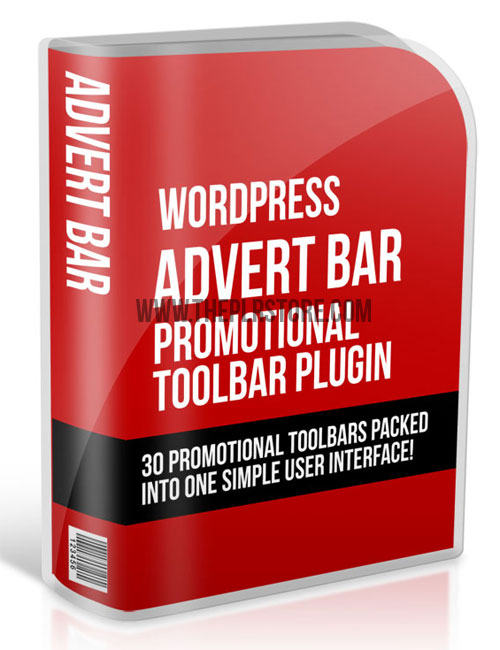

"This WordPress plugin gives you an eyeball-grabbing notification toolbar that will boost your conversions!"
Add an Eye Catching Bar to catch the attention of your visitors in your WordPress site using this Easy Plugin.
You can display the Notification Message on this Bar for Members/Guests.
Display in Home Page/All Pages/Pages By ID, on Top/Bottom of the site, 32 types of easing effects to the Eye Catching Bar and Notification Message etc.
Show the Bar in Collapsed/Expanded state on page load with different types of Effect. Super Customizable Plugin.
Features:
- Custom Notification Messages based on the Referrer
- Show the Notification Bar to Member/Guest, Home Page/All Pages, Top/Bottom of the site
- Choose whether to Scroll, Alternate or Slide the Notification Text and also 32 types of easing effects to show the message in the Eye Catching Bar
- Select the Marquee Direction, Font Size, Font Color etc for the Notification Text
- Notification Bar’s Target URL on Click, Color, Height, Border Color etc can be set
- Button’s Text in Collapsed and Expanded state, Color, Height, Width, Position from Left etc can be set
- Show the Eye Catching Bar on Page Load in Collapsed or Expanded state
Here's a less aggressive alternative to a pop up, that still gets your visitors attention.
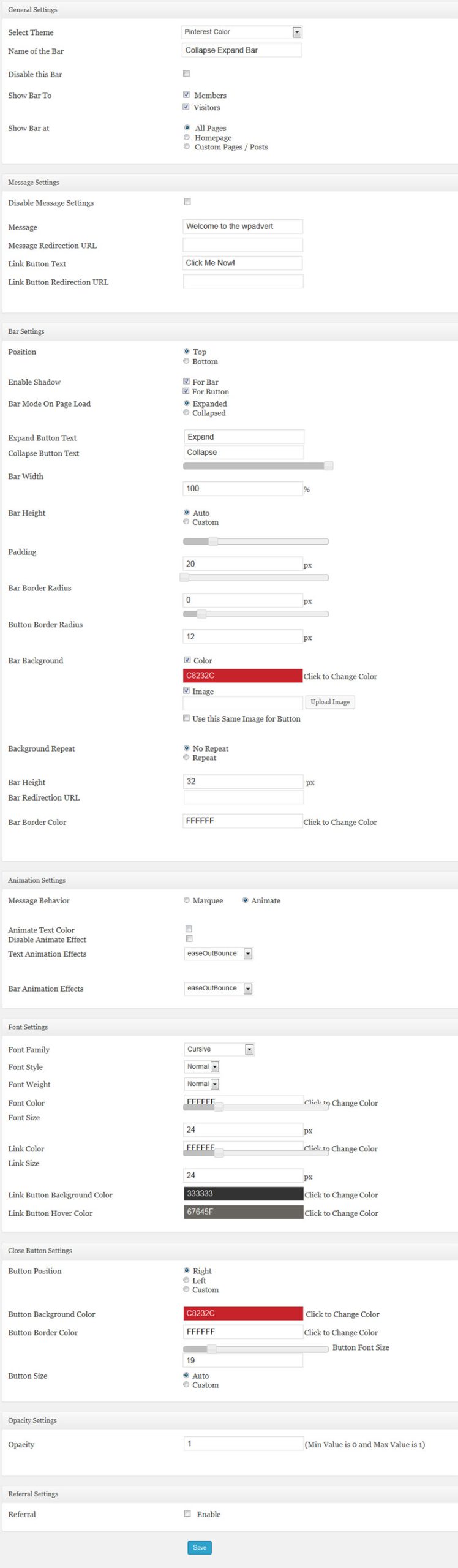
Settings and Options
General Settings:
- Select Theme – Over 20 options including Pinterest color, facebook, twitter, google, linkedin, wordpress, yahoo colors and more.
- Name of the bar
- Disable bar – turn the bar on or off with this option.
- Show bar to – Make it visible to members or visitors. Actually great feature for membership sites, to show bar according if it's just a visitor or a member.
- Show Bar At – Choose where the bar displays, All Pages, Home
- Page and Custom Pages/Posts. With custom, you can pick page or posts ID's or titles. Talk about versatile!
Message Settings:
- Disable Message Settings – Check box to disable.
- Message – Add what ever message or text you want to show on the main bar.
- Message Redirection URL – Insert redirection URL.
- Link Button Text – Add text of your choice to show as text on button.
- Link Button Redirection URL – Insert redirection on button click to what ever you'd like your visitors to go.
Bar Settings:
- Position – Either top of bottom of the screen
- Enable Shadow – For bar or for button.
- Bar mode on Page Load – Choice of either Expanded or Collapsed.
- Expand Button Text – Add text of your choice when bar is expanded.
- Collapse Button Text – Text of button when collapsed.
- Bar Width – 0 to 100%.
- Bar Height – Choice of auto or custom.
- Padding – Set in pixels.
- Bar Border Radius – Set the corner radius of bar in pixels.
- Button Border Radius – Also in pixels.
- Bar Background – Choice of color (includes picker), or image with a upload feature. Can use same image for button as well.
- Background Repeat – Either repeat or not.
- Bar Height – In pixels
- Bar Redirection URL – Enter URL of your choice.
- Bar Border Color – Enter hex color number, or use the color picker.
Animation Settings:
- Message Behavior – Choice of marquee or animate.
- Animate Text Color – Check Box
- Disable Animate Effect – Check Box
- Text Animation Effects – A whole slew of options here, from bounce to elastic to linear, swing and many more.
- Bar Animation Effects – Same as above, a ton of options to make your bar stand out and grab your visitors attention.
Font Settings:
- Font Family – 11 different font options
- Font Style – Normal or Italic
- Font Weight – Normal of bold
- Font Color – Enter hex number of use color picker.
- Font Size – in pixels
- Link Color – Enter hex number or use color picker.
- Link Size – in pixels
- Link Button Background Color – Hex number or color picker
- Link Button Hover Color – Hex number or color picker
Close Button Settings:
- Button Position – Right, Left or Custom by percentage
- Button Background Color – Hex number or use the color picker
- Button Border Color – Hex number or use the color picker
- Button Font Size – In pixels, has slide bar
- Button Size – Auto or custom
Last options are Opacity of bar and referral enable.
As you can see, this bar is highly customizable. Easily make it fit and look right on your site.
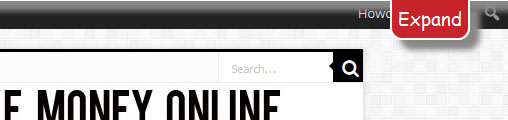
See the image at top to see a simple sample, which took only a few minites and shows only partly how this could be set up on your site.
Easy to use…
Simple fill in the settings page, enable and it's on your site. Doesn't get much easier.
Product Rights:
[YES] You CAN sell this product.
[YES] You CAN sell this product with resale rights.
[YES] You CAN sell this product with master resale rights.
[YES] You CAN add this product to a paid membership with resale rights.
[YES] You CAN use this product as a bonus.
[NO] You CANNOT give this product away.
[NO] You CANNOT sell this product with private label rights.
[NO] You CANNOT add this to a free membership.