




"Simply Fast PopUps With This Amazing WordPress Plugin! Create all types of pop ups for your blog and create a featured popup!"
Here's a very simple way to add a pop up with the content you want to your wordpress site. Loaded with features, you can used it in so many ways.
Love them or hate them, they have been prove to work and work well. And with this plugin's animation features, you have a way to grab their attention.
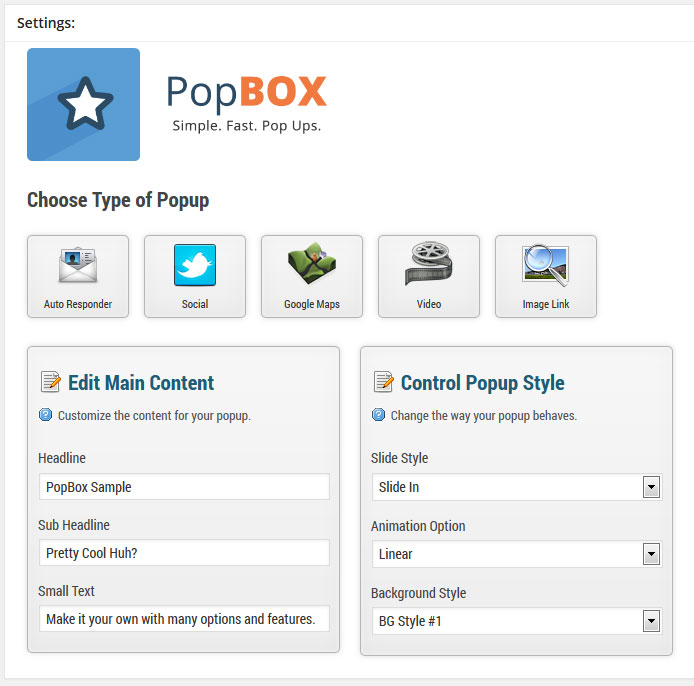
Gives you the option to display five different types of content in the box:
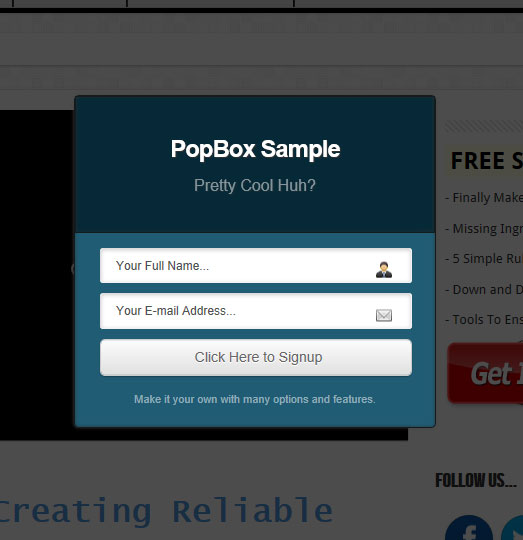
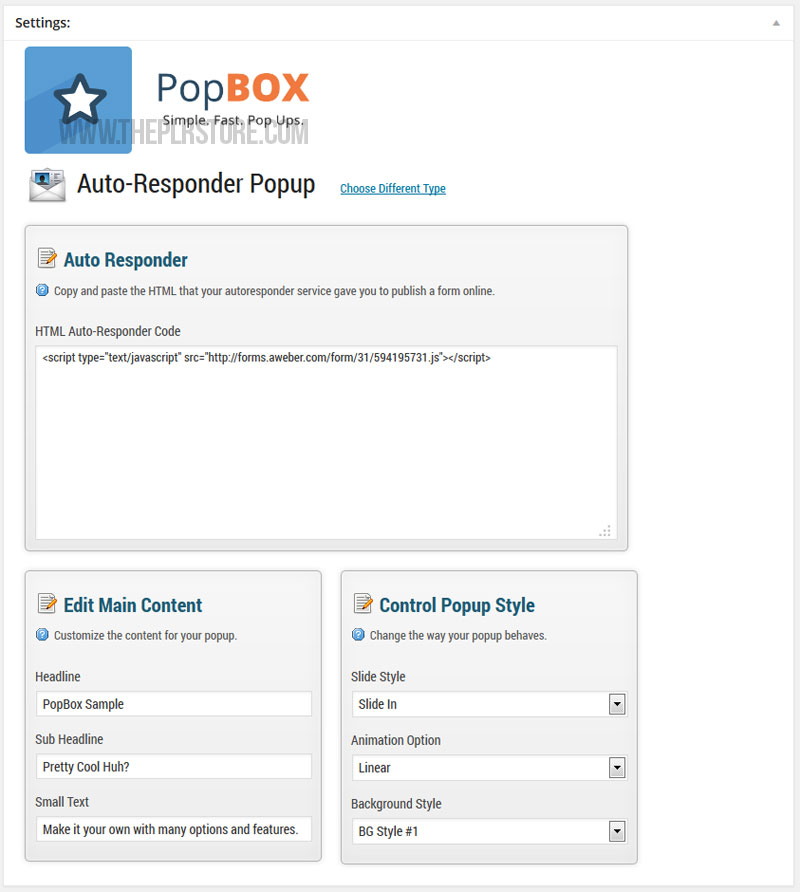
- Autoresponder Form – Use it to build your list. Just copy and paste your opt-in code and your done. Sample shows a copy and paste JS code from Aweber.
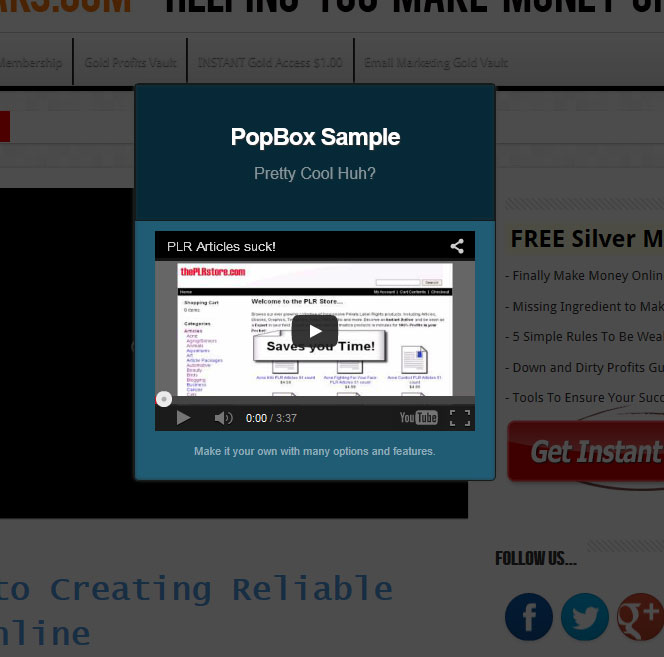
- Video – Simply add embed code and the video will display in the box, and it plays as well. Sample shows a copy and paste embed code from you tube. Too easy.
- Social Share – Set the url or web address, with text you want to be shared. Here's how to grab some social traffic for your sites.
- Image – Add a image of your choice and where it's linked it. Would be perfect if your selling something like an ebook, as you can post the cover image.
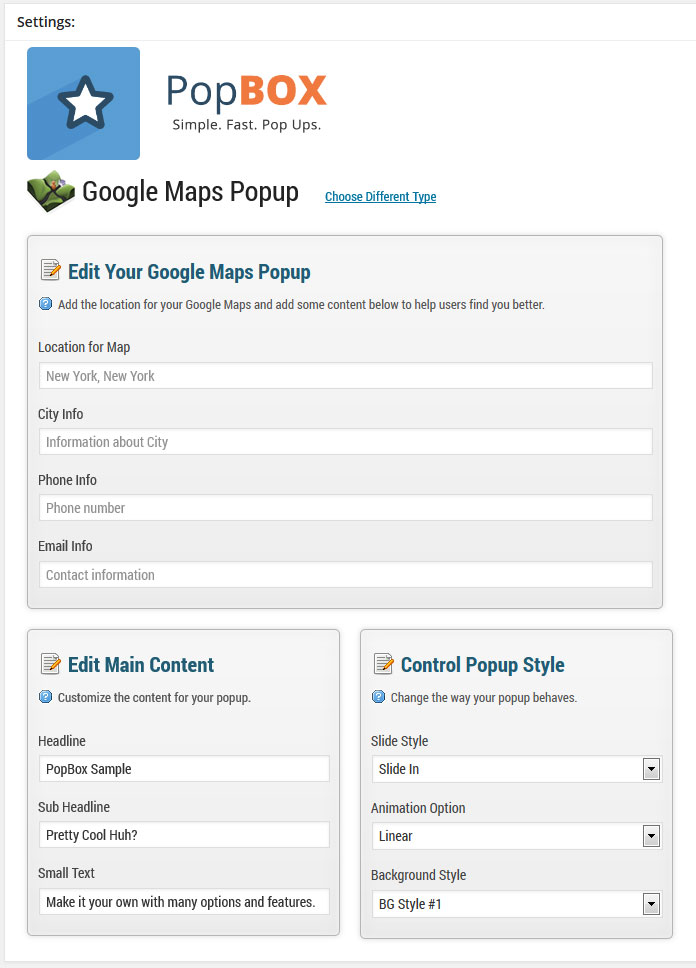
- Google Maps – Display a map of your choice in the pop up. Perfect for local business clients you might have.
Plugin Features and Options:
Main Content:
- Headline – Add the main headline for your pop up.
- Sub Headline – Add your sub headline text here.
- Small Text – Footer text of pop up.
Control Popup Style:
- Slide Style – Three different options here as to how the pop up appears on the screen. Includes, Slide In, Fade In, Slide Down.
- Animation Option – Set the animation of your pop up in four different ways and grab their attention. Linear, Bounce, Back N' Forth and elastic.
- Background Style – Four different colors including, gray, blue, purple and dark.
Different Types of Content You can Display in the pop up:
- Autoresponder Form – Create a form on your autoresponder service, Copy and paste the optin code and you have a pop up squeeze page. It accepts HTML, so you can use most any service you'd like, your not limited.
- Social Media – Add the website URL that you would like to share and add your own custom share text. Insert website address and share text, so you control what get's shared.
- Image and Link – Post an image of your choice by just adding the image url. You can set what web page or website the image is linked to. Send your visitors where ever you'd like, even affiliate products if you so wish.
- Video Pop Up – Add your own video embed or iframe code that will display a video for your popup. As the sample image at the top shows, that is a simple embed code from Youtube, and the video will play in the pop up for your visitors. This would be a great way to display a welcome video for your visitors.
- Google Map – Add the location for your Google Maps and add some content below to help users find you better. Options for this feature include, Location for Map, City Info, Phone Info and Email info. As I said, this would be great for local business clients.
Plugin is super easy to install and use. We also included instructions to make it even easier.
Product Rights:
[YES] You CAN sell this product.
[YES] You CAN sell this product with resale rights.
[YES] You CAN sell this product with master resale rights.
[YES] You CAN add this product to a paid membership with resale rights.
[YES] You CAN use this product as a bonus.
[NO] You CANNOT give this product away.
[NO] You CANNOT sell this product with private label rights.
[NO] You CANNOT add this to a free membership.