


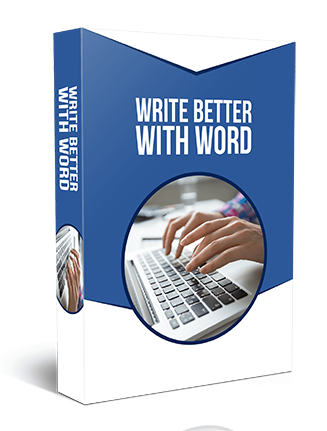

Write Better with Word MRR Videos
File Format: MP4 Video, Web-Ready Format, mp3
Number of Videos: 20 Videos (1920×1080)
Video Length: Varies. See ‘Videos Include’ for specifics.
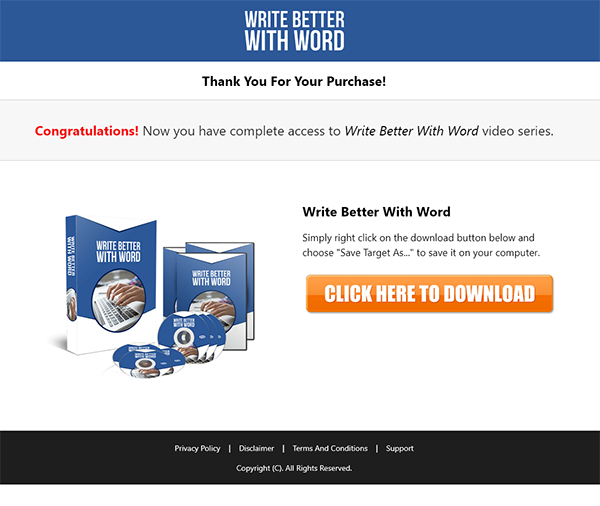
Sales page: Included, HTML
Download Page: Included, HTML
Included Graphics: eCovers, web images
Cover Graphics: JPG and PNG, 3D and flat
Extras: Sales promo video, audios of videos
Year Released/Circulated: 2018
Suggested Selling Price: $27.00
Write Better with Word MRR Videos Introduction:
Do you want to write better?
Do you need a reliable word processing software that will help you create text documents, print them on paper or even save them as PDF files?
If the answer is a big YES…
…then this will be the most important letter you will ever read.
I have good news for you…
No word processor is as convenient as MS Word. From formatting to split view to tracking changes and project sharing, MS Word just makes things easier.
You can work on a document and have other people review and contribute to the content.
Even better, you can track all changes made to a Word document and even revert to an earlier version.
MS Word is the best word processing software on the planet and if you don’t know how to use it yet, then you’re missing out big time.
90% Market Share
Before we go any further, let me give you some insights about MS Word:
Microsoft first released Word on October 25 1983. When it was released it was known as Multi-Tool Word for Xenix systems.
From its time of release up to 1994, Word was boasting of an impressive 90% share market.
Word has different licenses for different stakeholders. Commercial versions of Word are licensed as a standalone product or as a component of Microsoft Office.
Word was made available on Mac and PC, besides these two, the only other desktop platform to be graced with its own version of Word was the Atari ST.
AutoCorrect was introduced to the sixth version of Word in 1993. Before then, users had to correct their own typing, spelling and grammar mistakes.
In 2013, Microsoft introduced the first touch friendly version of Word.
Word is available on mobile devices and online for easy accessibility.
Word is included in the latest version of Microsoft Office, Office 365.
Why You Need To Get Started Now:
Word is available everywhere.
Create different file formats using Word.
Easy to use and integrate with other tools.
Identify and resolve grammar and spelling issues with Word.
Word is very convenient.
Write Better with Word MRR Videos Includes:
Overview – 1 minute, 28 seconds
File Menu Part 1 – 3 minutes, 2 seconds
File Menu Part 2 – 1 minute, 27 seconds
Home Menu Part 1 – 2 minutes, 13 seconds
Home Menu Part 2 Styles – 3 minutes, 21 seconds
Insert Menu Part 1 – 3 minutes
Insert Menu Part 2 – 3 minutes, 12 seconds
Design Menu – 2 minutes, 14 seconds
Layout Menu – 2 minutes, 15 seconds
References Menu – 1 minute, 22 seconds
References Menu Table of Contents – 4 minutes, 11 seconds
Mailings Menu – 1 minute, 53 seconds
Review Menu Part 1 – 3 minutes, 5 seconds
Review Menu Part 2 – 2 minutes, 54 seconds
Review Menu Resume Assistant – 1 minute, 29 seconds
View Menu – 1 minute, 57 seconds
Basic Document Creation Part 1 – 4 minutes, 12 seconds
Basic Document Creation Part 2 – 2 minutes, 21 seconds
File Type Saving – 2 minutes, 33 seconds
Conclusion – 1 minute, 19 seconds
Write Better with Word MRR Videos Rights:
WHAT YOU CAN DO:
Can be sold
Can sell resell rights
Can sell master resell rights
Can sell/give away the sales materials
Can be bundled with other paid products
Can be offered as a bonus for YOUR other paid/free products
Can give away for free in exchange of leads
Can be used as content for your website or social media sites
Can be added to free/paid membership sites
Can be offered through auction sites
Can be used as affiliate bonuses to promote other offers
WHAT YOU CAN NOT DO:
Can NOT use our names or brand in any form
Can NOT sell / giveaway PLR
Can NOT hold us accountable for your customers
Can NOT ask us for a refund once you bought it
Can NOT claim full authorship
Can NOT alter any of the graphics
Browsing: Write Better with Word MRR Videos